ip
Weewee User Guide
Weewee is a friendly Java 17 chatbot that helps you manage tasks from the command line.
It supports todos, deadlines, and events, along with useful features like marking, deleting, finding, and sorting tasks.
All tasks are saved automatically so you can pick up where you left off.
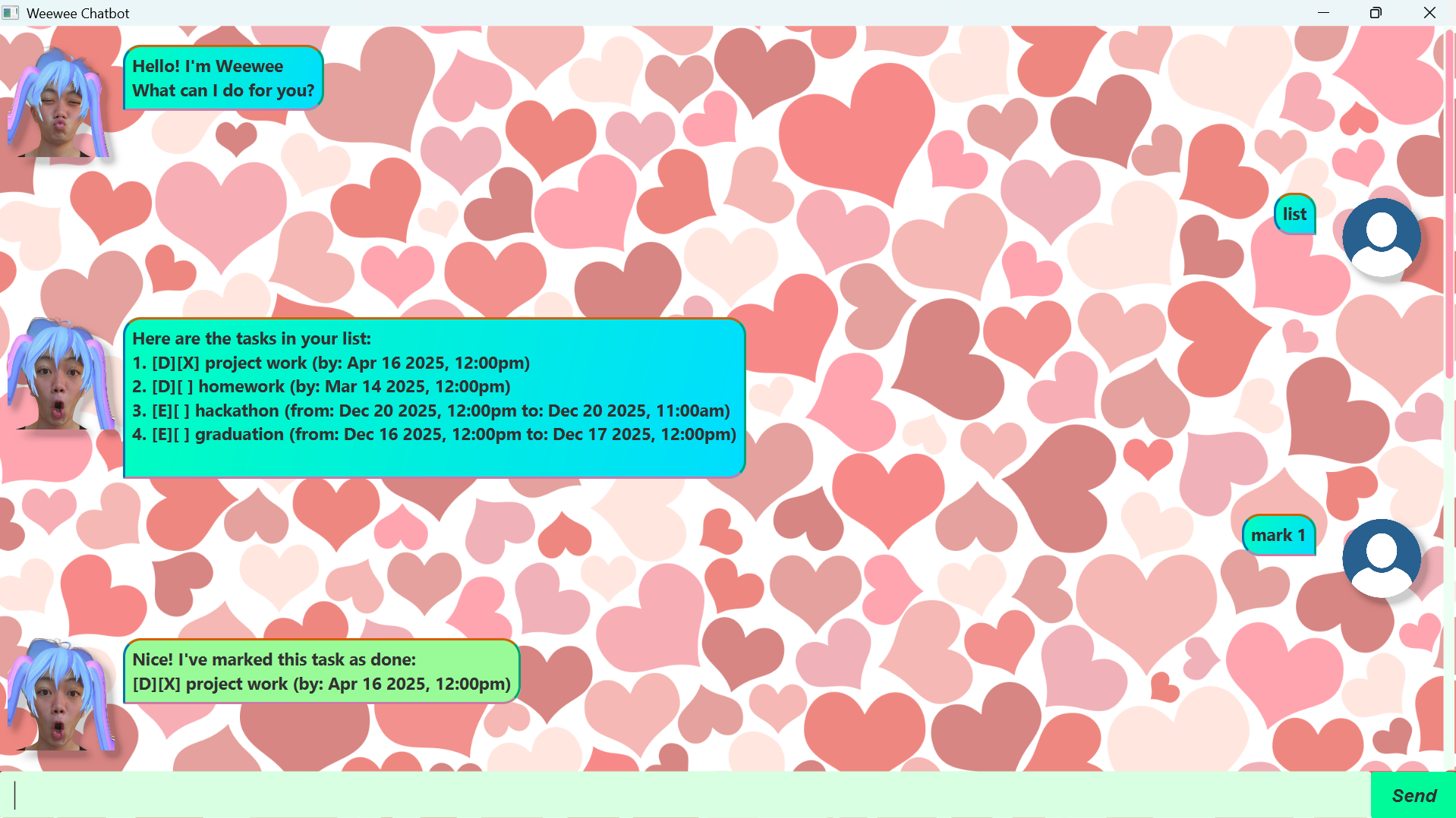
Below is Weewee’s GUI window:
Adding deadlines
Adds a task with a description and a due date/time.
The deadline will be stored in your task list until it is marked as done or deleted.
Format:
deadline task name /by <YYYY-MM-DD HHmm>
Example:
deadline CS2103T iP submission /by 2025-09-30 2359
Expected output:
Got it. I've added this task:
[D][ ] CS2103T iP submission (by: Sep 30 2025 11:59PM)
Now you have 1 task in the list.
Adding todos
Adds a task with only a description.
Format:
todo task name
Example:
todo buy milk
Expected output:
Got it. I've added this task:
[T][ ] buy milk
Now you have 2 tasks in the list.
Adding events
Adds a task with a description, start, and end time.
Format:
event task name /from <YYYY-MM-DD HHmm> /to <YYYY-MM-DD HHmm>
Example:
event team meeting /from 2025-10-01 1400 /to 2025-10-01 1600
Expected output:
Got it. I've added this task:
[E][ ] team meeting (from: Oct 1 2025 2:00PM to: Oct 1 2025 4:00PM)
Now you have 3 tasks in the list.
Listing all tasks
Displays all tasks currently in your list.
Example:
list
Expected output:
Here are the tasks in your list:
1.[T][ ] buy milk
2.[D][ ] CS2103T iP submission (by: Sep 30 2025 11:59PM)
3.[E][ ] team meeting (from: Oct 1 2025 2:00PM to: Oct 1 2025 4:00PM)
Marking and unmarking tasks
Marks a task as done, or unmarks it as not done.
Format:
mark <task number>
unmark <task number>
Example:
mark 1
Expected output:
Nice! I've marked this task as done:
[T][X] buy milk
Deleting tasks
Removes a task from your list.
Format:
delete <task number>
Example:
delete 2
Expected output:
Noted. I've removed this task:
[D][ ] CS2103T iP submission (by: Sep 30 2025 11:59PM)
Now you have 2 tasks in the list.
Finding tasks
Finds tasks containing the given keyword(s).
Format:
find <keyword>
Example:
find meeting
Expected output:
Here are the matching tasks in your list:
1.[E][ ] team meeting (from: Oct 1 2025 2:00PM to: Oct 1 2025 4:00PM)
Sorting tasks
Sorts tasks by deadline, event start, or event end.
Format:
sort deadline
sort event start
sort event end
Example:
sort deadline
Expected output:
Here are the tasks in your list:
1.[D][ ] CS2103T iP submission (by: Sep 30 2025 11:59PM)
2.[D][ ] Math Assignment (by: Dec 13 2025 12:15PM)
Exiting the program
Exits Weewee.
Example:
bye
Expected output:
Bye. Hope to see you again soon! smoochsmooch <3